
eMarketeer is getting its largest update in years. The app has been redesigned from the ground up, and we rebuilt it rather than adding to it, so the foundation is ready for what comes after.
The roll-out starts on 30 September, in groups rather than everyone at once, so it may be a few days before the new eMarketeer reaches you.
Here is what changes.
A new look, in your own language
The interface and the branding are both new, redesigned around finding things quickly, with a clearer structure and less around the edges.
eMarketeer is also fully translated into the Nordic languages now, so your team can work in Swedish, Norwegian, Danish or Finnish instead of English.
Help that answers, without leaving the page
A new help assistant sits inside the app. Ask it a question the way you would ask a colleague, something like how do I add a condition to a journey, and it answers there and then from our documentation.
It is for the questions that used to mean searching the help center or opening a ticket, and the answer arrives without you leaving the screen you were on.
Campaigns are quicker to navigate
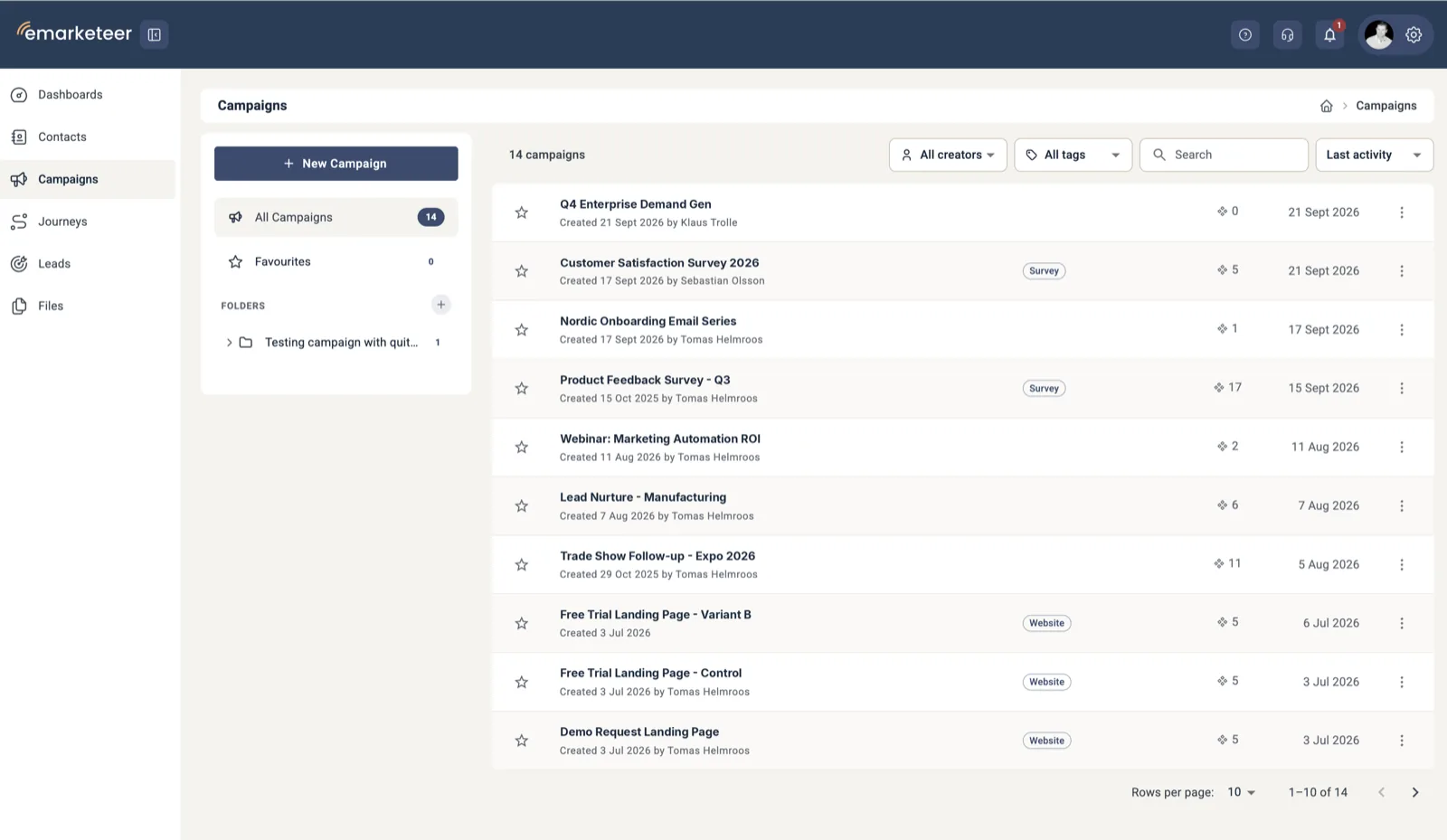
The campaign view itself is redesigned and simplified, so the content is the focus rather than the frame around it. Finding the right campaign in the first place got easier too:
- Folders, with easier management than before
- Filters on creator, on tags, and on the latest activity in a campaign
- Search across campaigns and the components inside them
Contacts tell you more at a glance
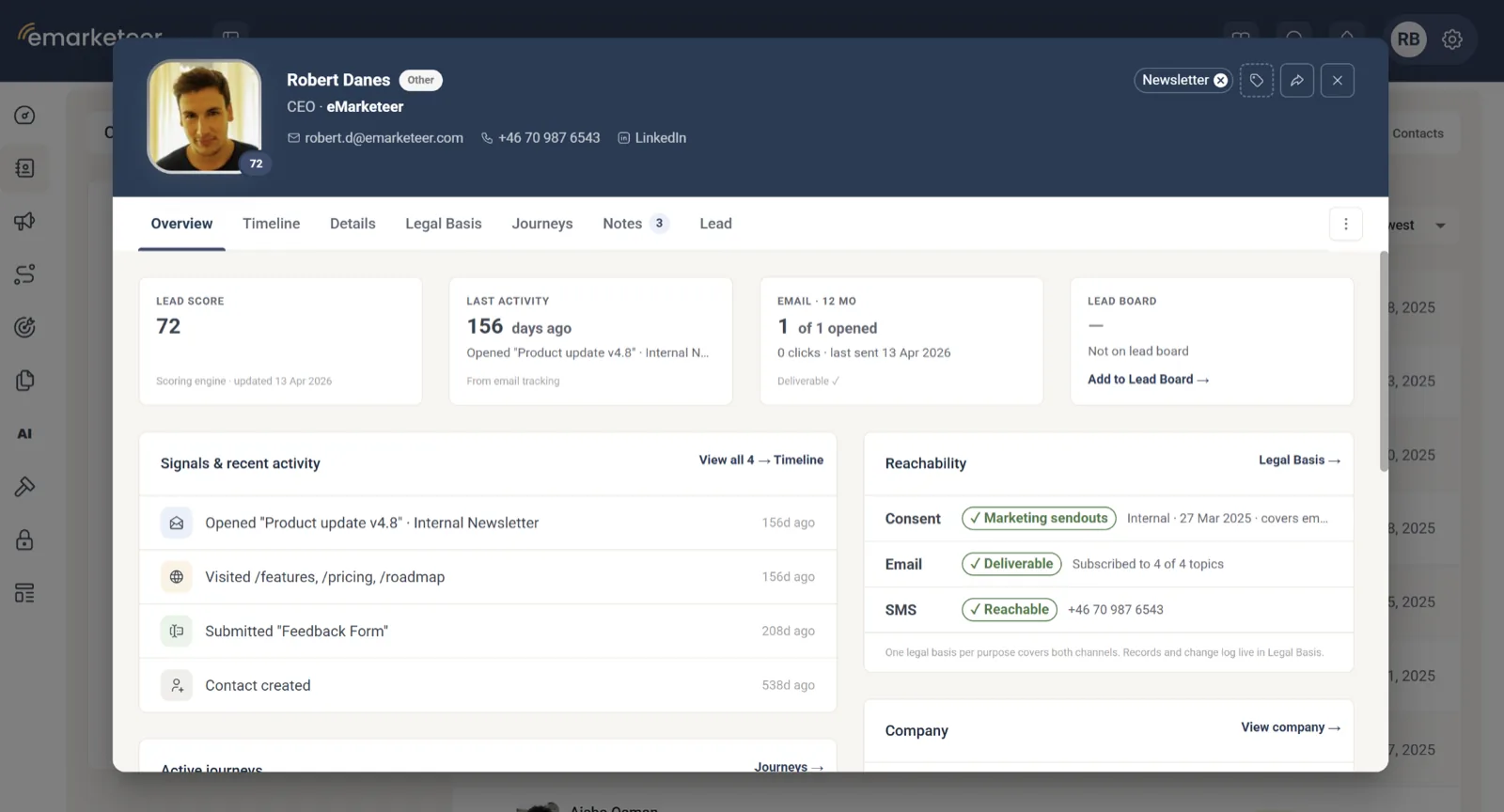
The contact card is new, and built to answer the obvious questions without a click:
- An overview of the details at the top
- Notes, for what your team needs to remember about someone
- A Journeys tab, showing which step a contact has reached in a journey they have not finished yet
- A permanent Lead tab, so a lead can be created from any contact card
The list around it changed as well. It puts your newest contacts on top by default, and saved filters are now called Segments, which is what they always were.
Tags, files and journeys
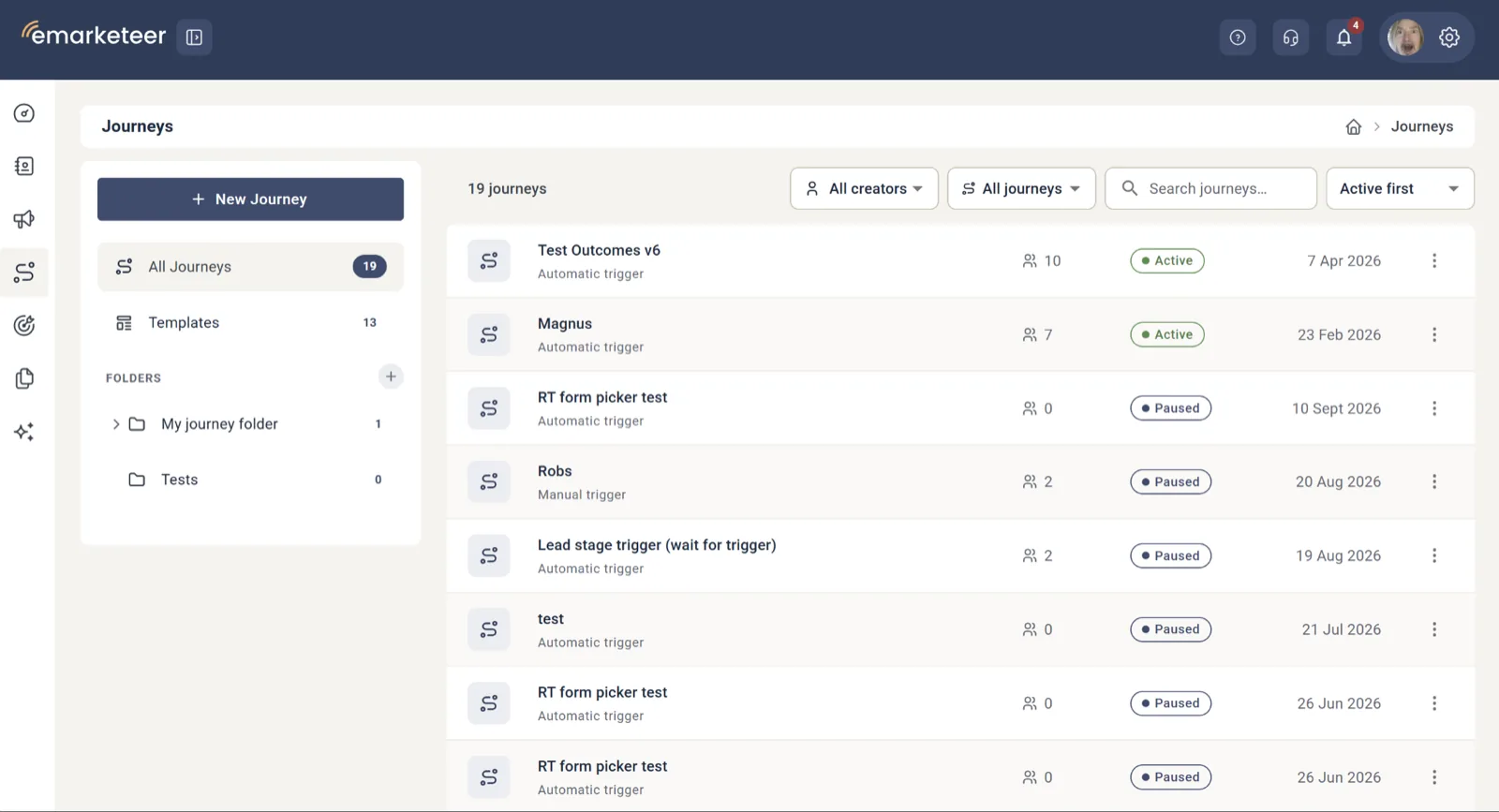
- Tags are added to contacts and campaigns by typing, with no list to set up first
- Files upload by dragging them into the browser window, and can then be sorted and searched
- Journeys can be organized into folders, with new filter and sort options
Dashboards you can shape
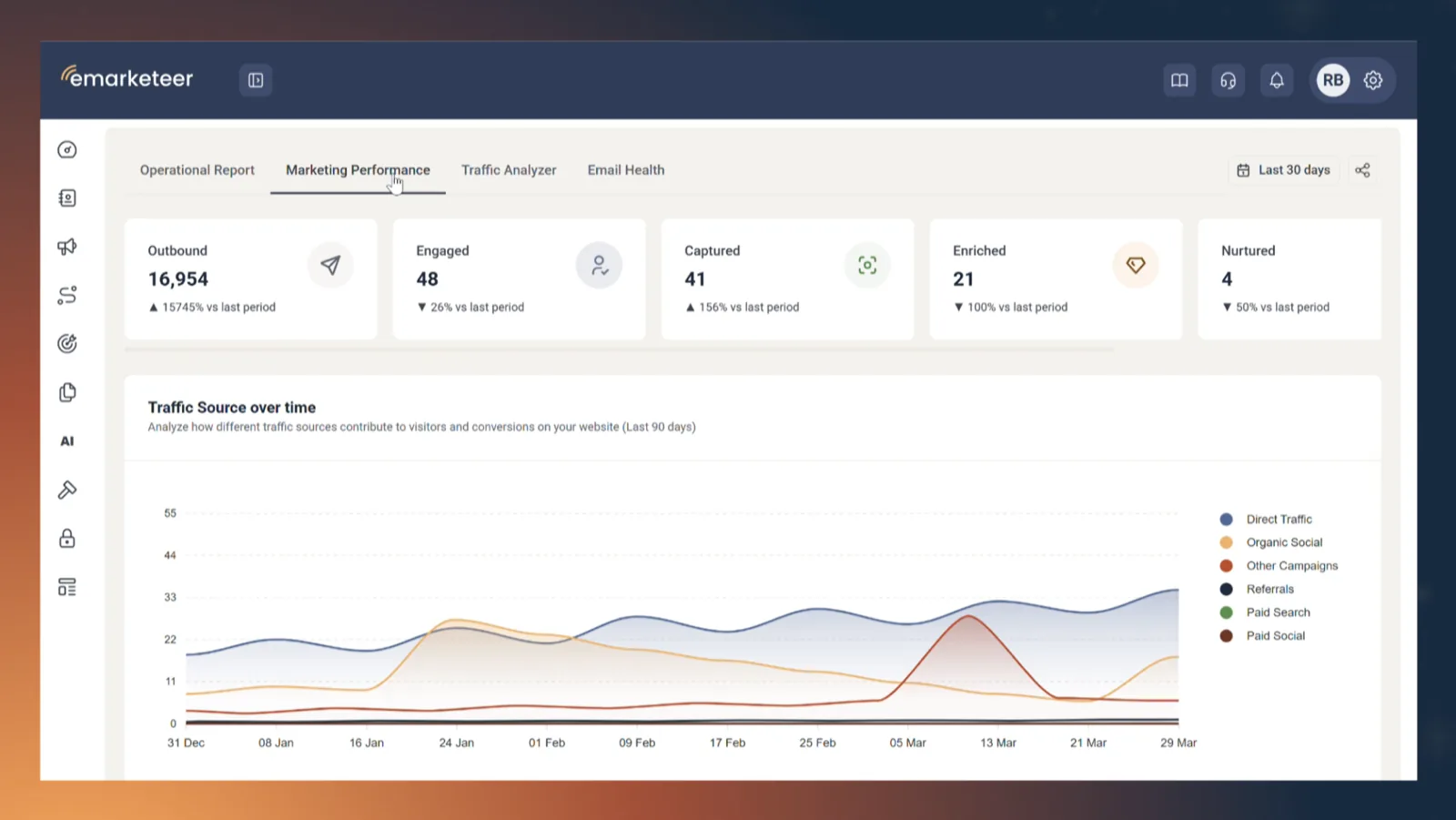
On all four dashboards, columns can be sorted, pinned, removed and filtered, so each view shows the numbers you report on.
Faster, and a few things moved
Performance is better across the app, so pages and lists respond quicker than they did. The groundwork for AI features in later updates is laid. And Lead Scoring and Lead Streams now live under Account Settings.
When you will get it
The roll-out starts on 30 September and continues over the days that follow. Accounts move in groups, so another company, or another team in yours, may be working in the new eMarketeer before you are. Everyone is on it by the end of that week.
There is nothing to install and nothing you need to do to prepare.
On the evening of Friday 2 October there will be a short service window where eMarketeer will be offline.
What comes after
Three things are being built for later updates. None of them is part of this release:
- An AI editor for emails, so a change can be described instead of made by hand
- Posting to social media from inside eMarketeer
- MCP, so AI assistants can work with your eMarketeer data directly
If you have questions before your account moves, get in touch with our team.